TL;DR
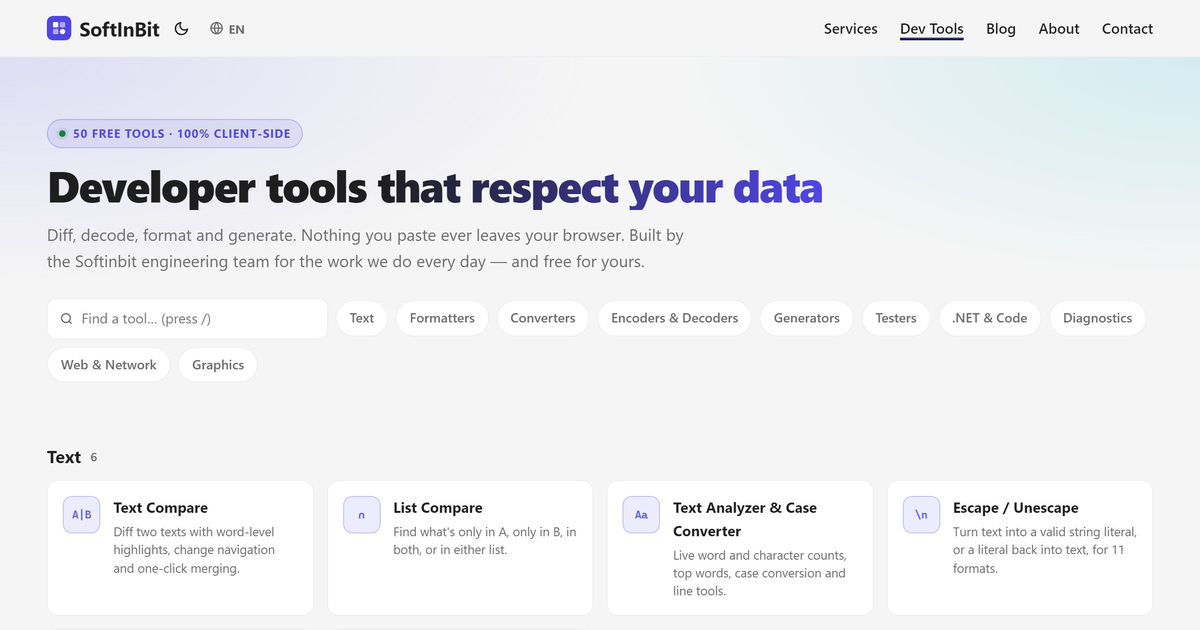
- SoftInBit Dev Tools is a free set of 50 developer tools. Everything you paste is processed in your browser and never sent to a server.
- Next to the usual JSON, Base64, regex and diff tools, there are tools made for .NET work: a stack trace cleaner, a SQL Server execution plan viewer, a Serilog log viewer, and converters for appsettings.json, curl, JSON and connection strings.
- No sign-up, no limits. Below is a short tour with screenshots and what each tool is good for.
Reading time: 7 min
It is a familiar moment. A production exception lands in the team channel, and someone pastes it into the first “stack trace formatter” a search engine returns. Ten minutes later, someone else pastes a JWT into an online decoder, and a connection string with a password into a “connection string validator”.
Every one of those sites received data that should never have left the company.
That is why we built SoftInBit Dev Tools: tools we use in our own .NET work, where the processing happens in your browser tab. Paste a token, a log file or an execution plan, and nothing is uploaded. Every tool page shows a Runs locally · nothing uploaded badge, and that is a design rule, not a slogan.
What “runs locally” means
- Your input stays in the tab. Formatting, decoding, hashing, diffing and validation all run as JavaScript in your browser. There is no backend that receives your data.
- Some tools load an open-source library (for example YAML, SQL formatting or QR codes) from a public CDN the first time you open them. That download is code coming to you; your input does not go anywhere.
- Share links keep their state after the
#. Tools that offer a share link put the state in the URL fragment, which browsers never send to the server. Still, don’t share a link that contains a secret. - The site counts page views, like any website. What you paste is not part of that.
Built for .NET work
These are the tools you won’t find on a generic “online JSON formatter” site.
.NET Stack Trace Cleaner
Paste a raw exception from a log, a test runner or a crash report. The tool:
- splits it into the outer exception and every inner exception,
- removes compiler noise from async methods and lambdas (
<>c__DisplayClass,MoveNext, state machines), - collapses framework frames so only your code stands out,
- and points at the likely origin: the first frame in your own code under the root cause.
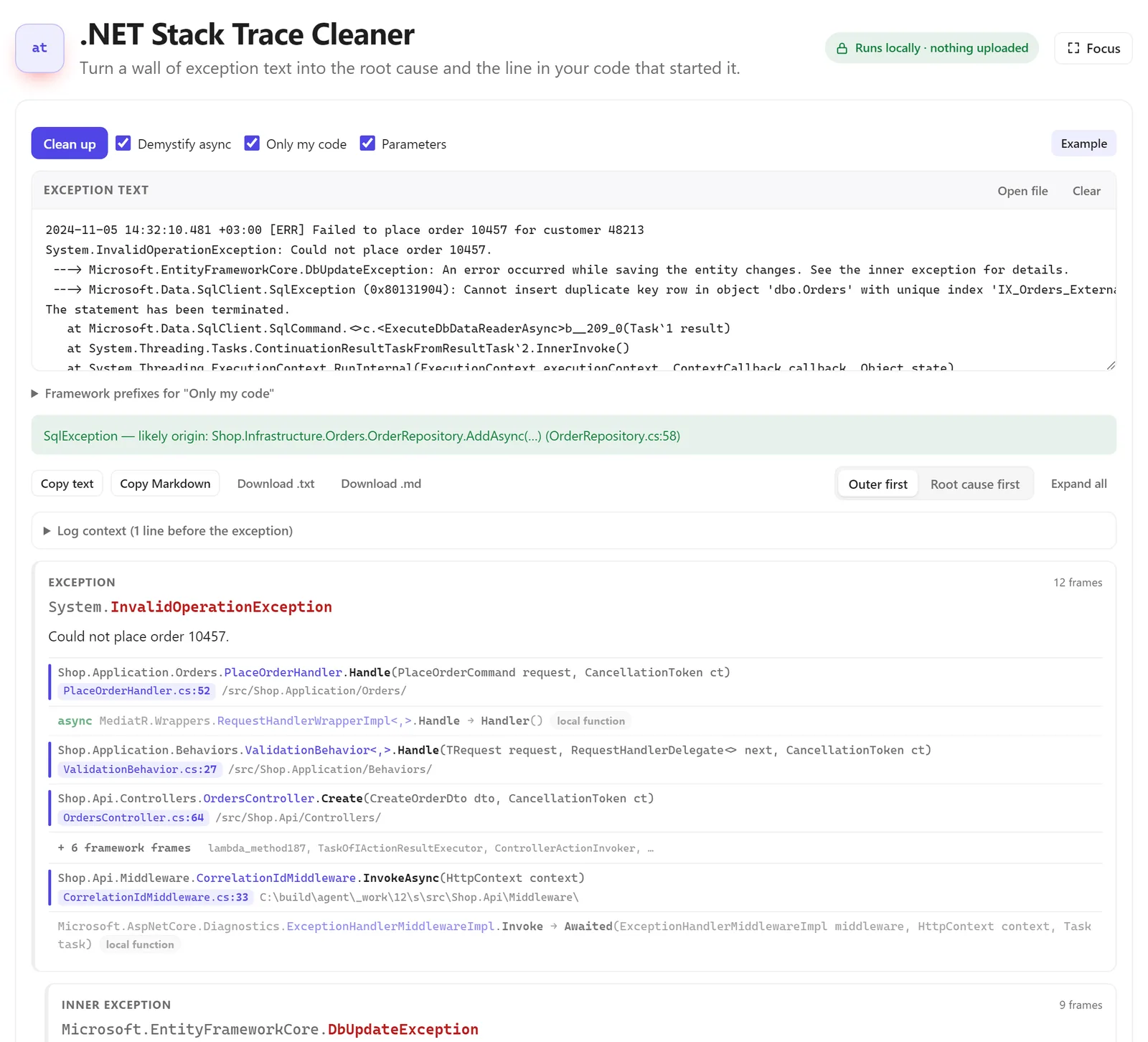
In the example above, a 40-line wall of text becomes one line: the SqlException started in OrderRepository.AddAsync, at OrderRepository.cs:58. The result can be copied as Markdown for a ticket or a pull request.
SQL Server Execution Plan Viewer
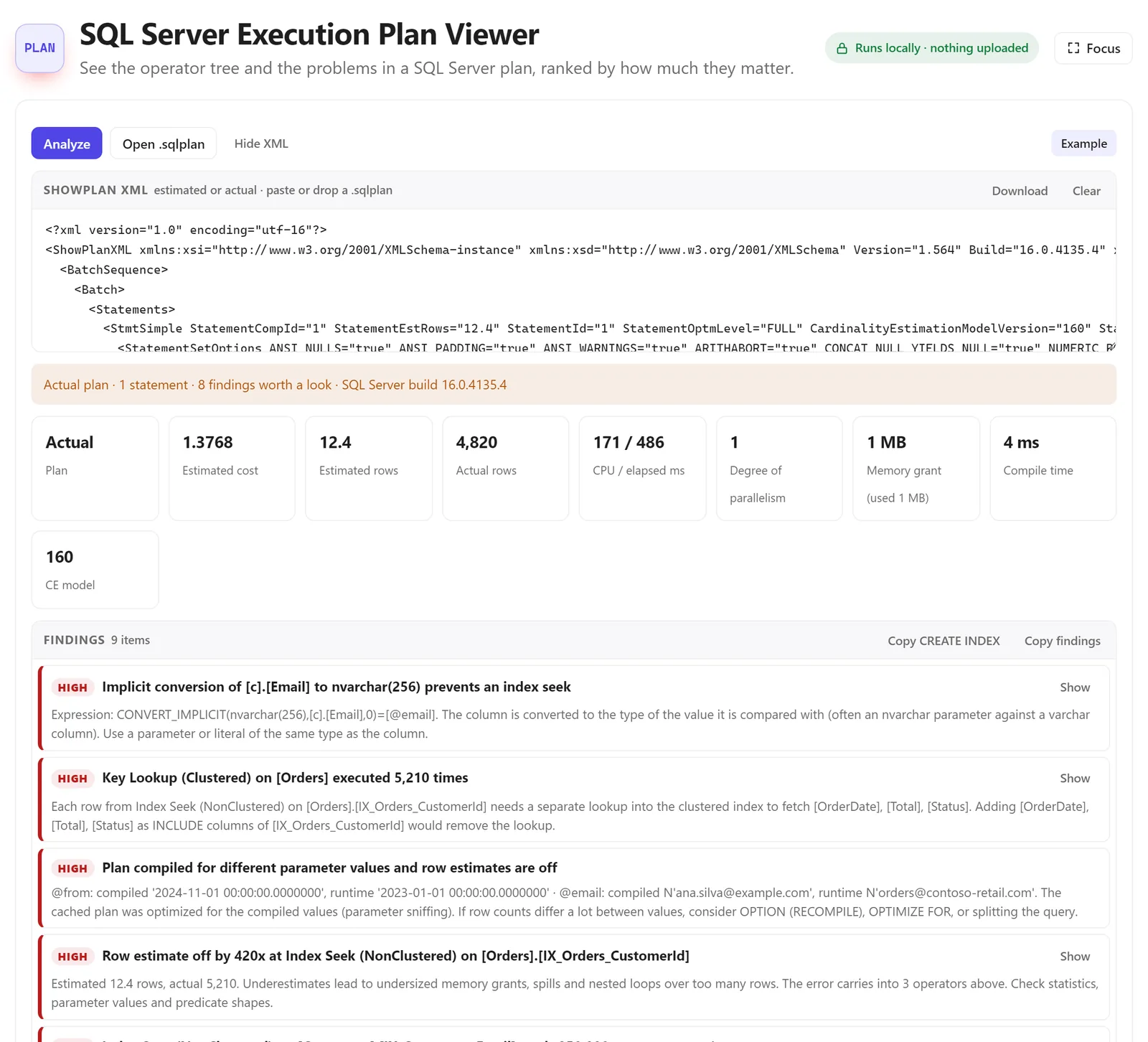
Paste the XML of an estimated or actual execution plan (or open a .sqlplan file from SSMS). You get the operator tree and a list of findings ranked by how much they matter, each with an explanation:
- implicit conversions that prevent an index seek,
- key lookups that run thousands of times,
- plans compiled for different parameter values (parameter sniffing),
- row estimates that are wildly off, memory grants, spills and missing indexes.
Execution plans contain table names, column names and sometimes parameter values. That is exactly the kind of file you don’t want to upload to a third-party site.
PLAN Analyze an execution planSee the operator tree and the problems in a SQL Server plan, ranked by how much they matter. Free, runs in your browser. Open tool →Serilog / CLEF Log Viewer
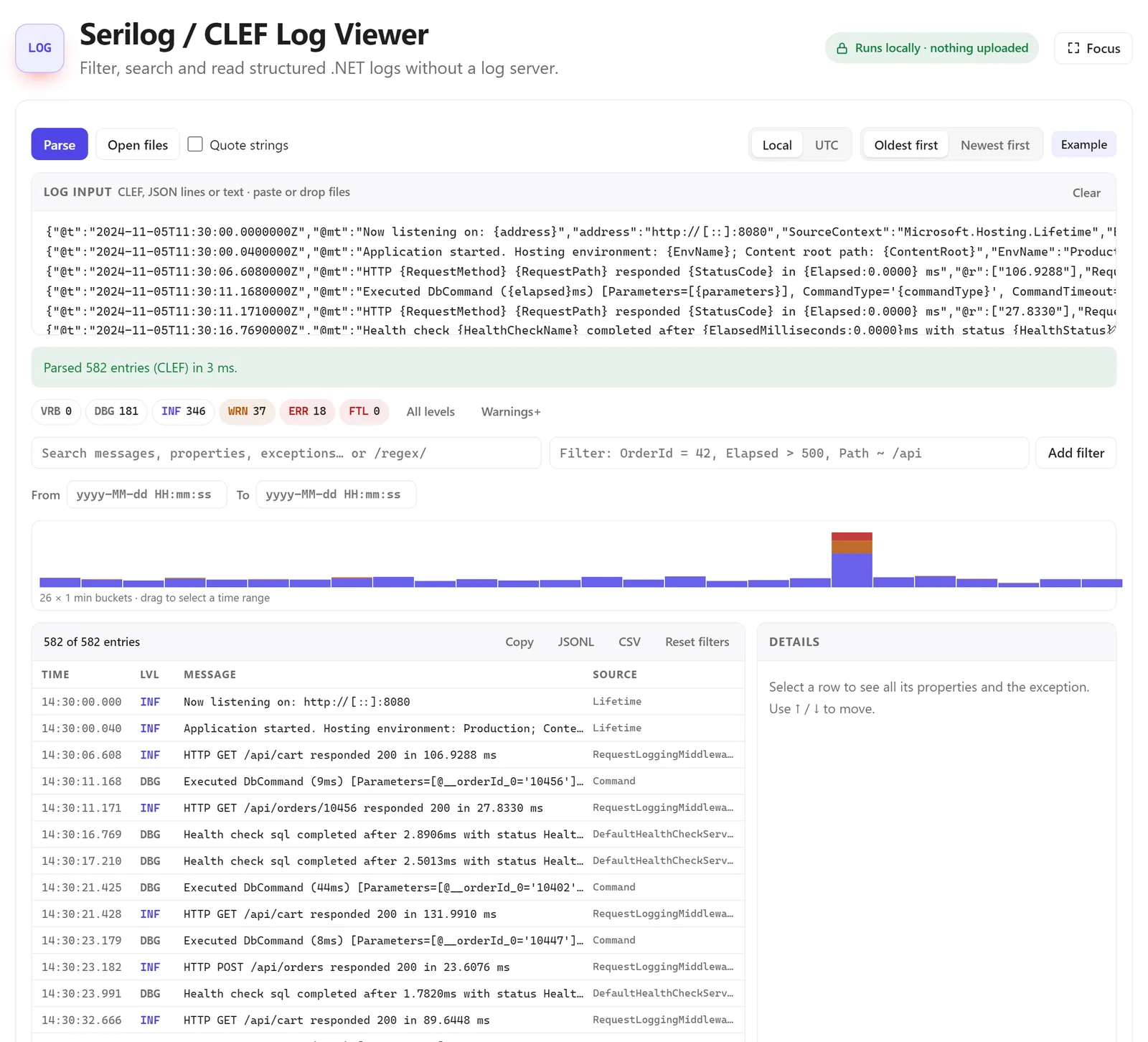
Got a log file from a server, but no Seq or Kibana nearby? Paste or drop Serilog’s compact JSON (CLEF) or JSON lines. You can filter by level, search messages and properties, filter by property value (OrderId = 42, Elapsed > 500), narrow down by time on the histogram, and open any entry to see all its properties and the exception.
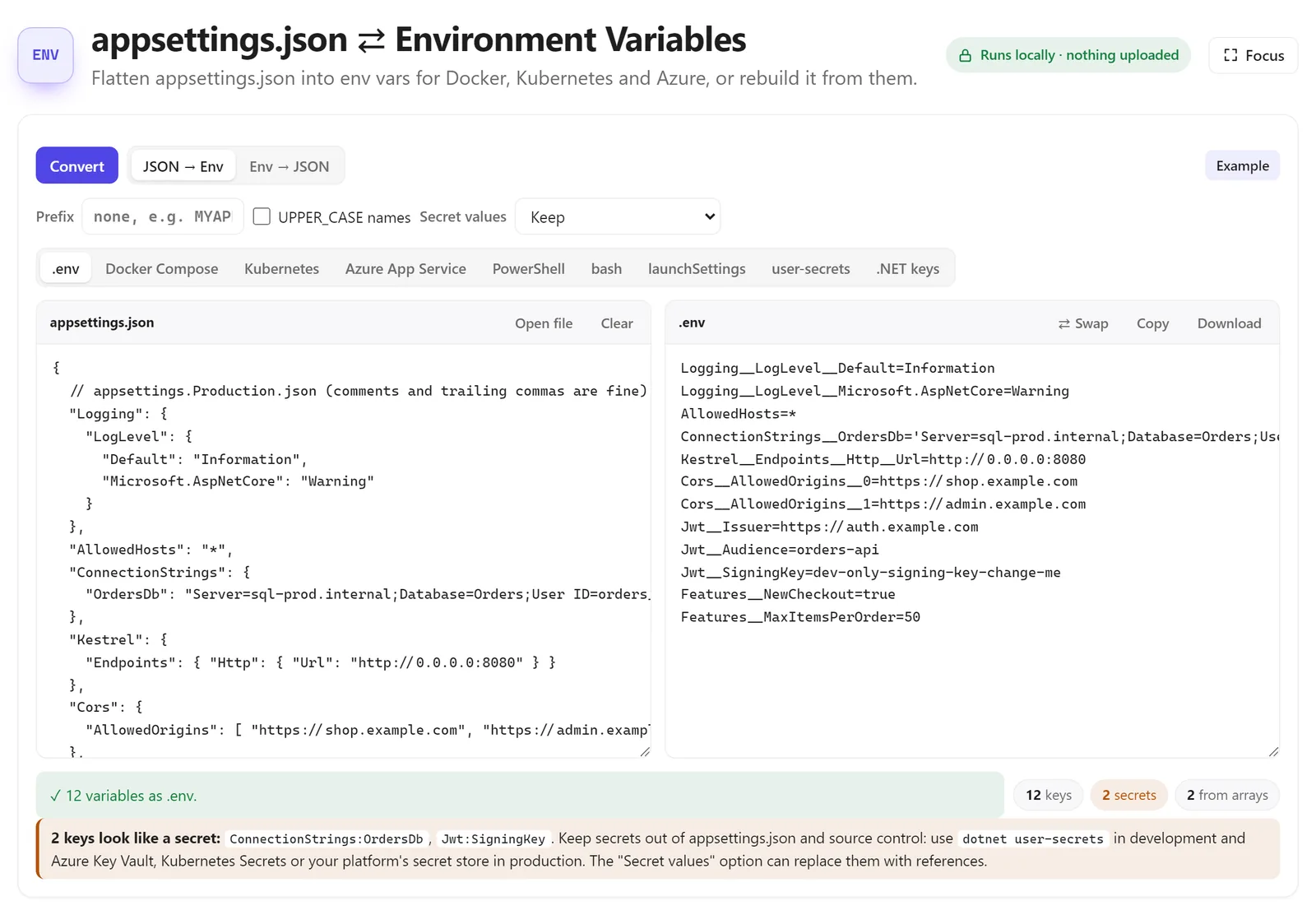
appsettings.json ⇄ Environment Variables
Moving an app to Docker or Kubernetes means turning nested configuration into Section__Key environment variables, and arrays into Section__0, Section__1. This tool does it in both directions and writes the output in the format you need: .env, Docker Compose, Kubernetes, Azure App Service settings, PowerShell, bash, launchSettings.json or dotnet user-secrets commands.
It also flags keys that look like secrets (connection strings, signing keys) and tells you to keep them out of source control.
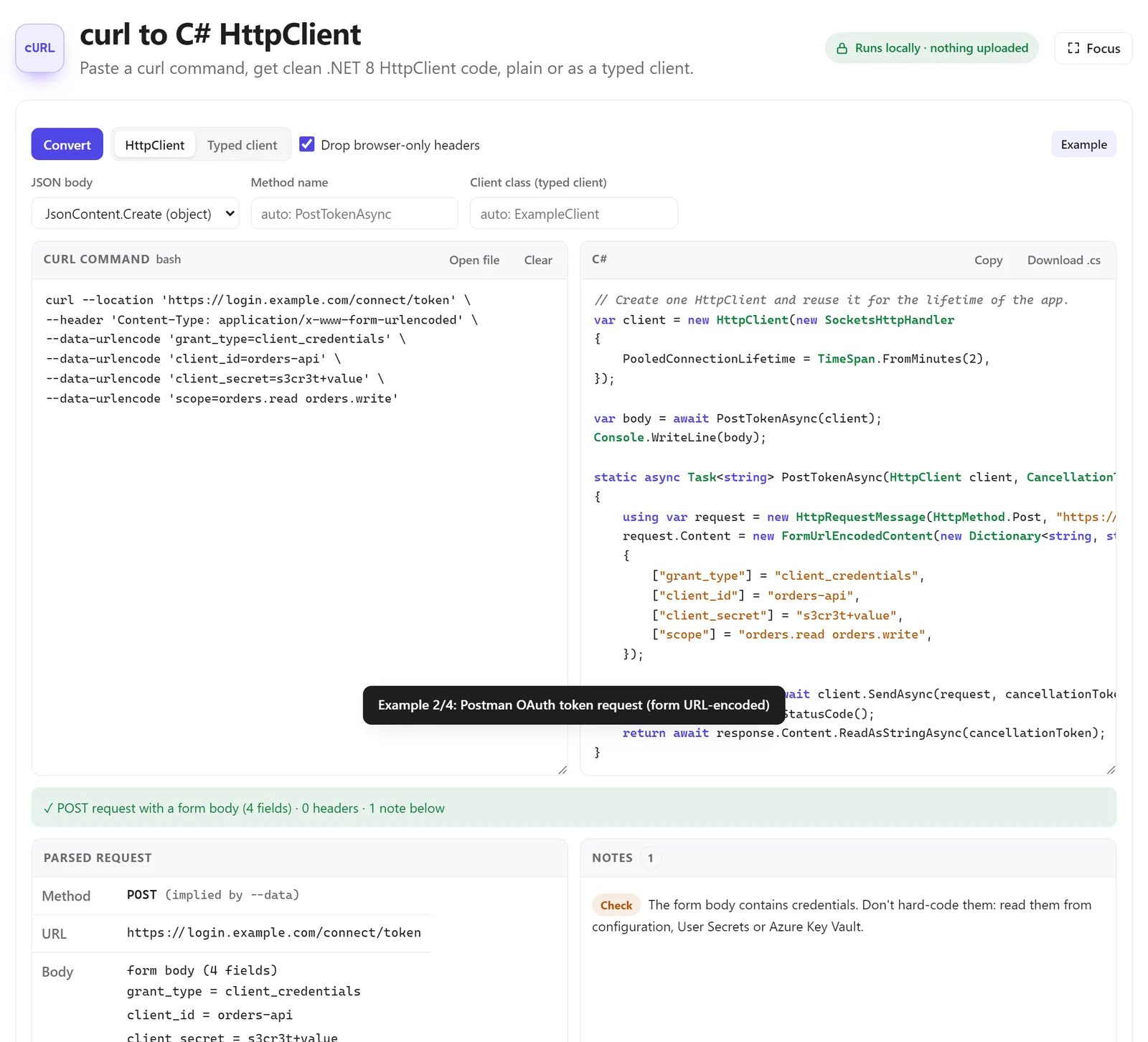
curl to C# HttpClient
Copy a request from your browser’s network tab or an API’s documentation as curl, paste it, and get HttpClient code for modern .NET: plain, or as a typed client registered with AddHttpClient. Form bodies, JSON bodies, headers and authentication are converted, and the notes warn you when the request contains credentials that should come from configuration instead.
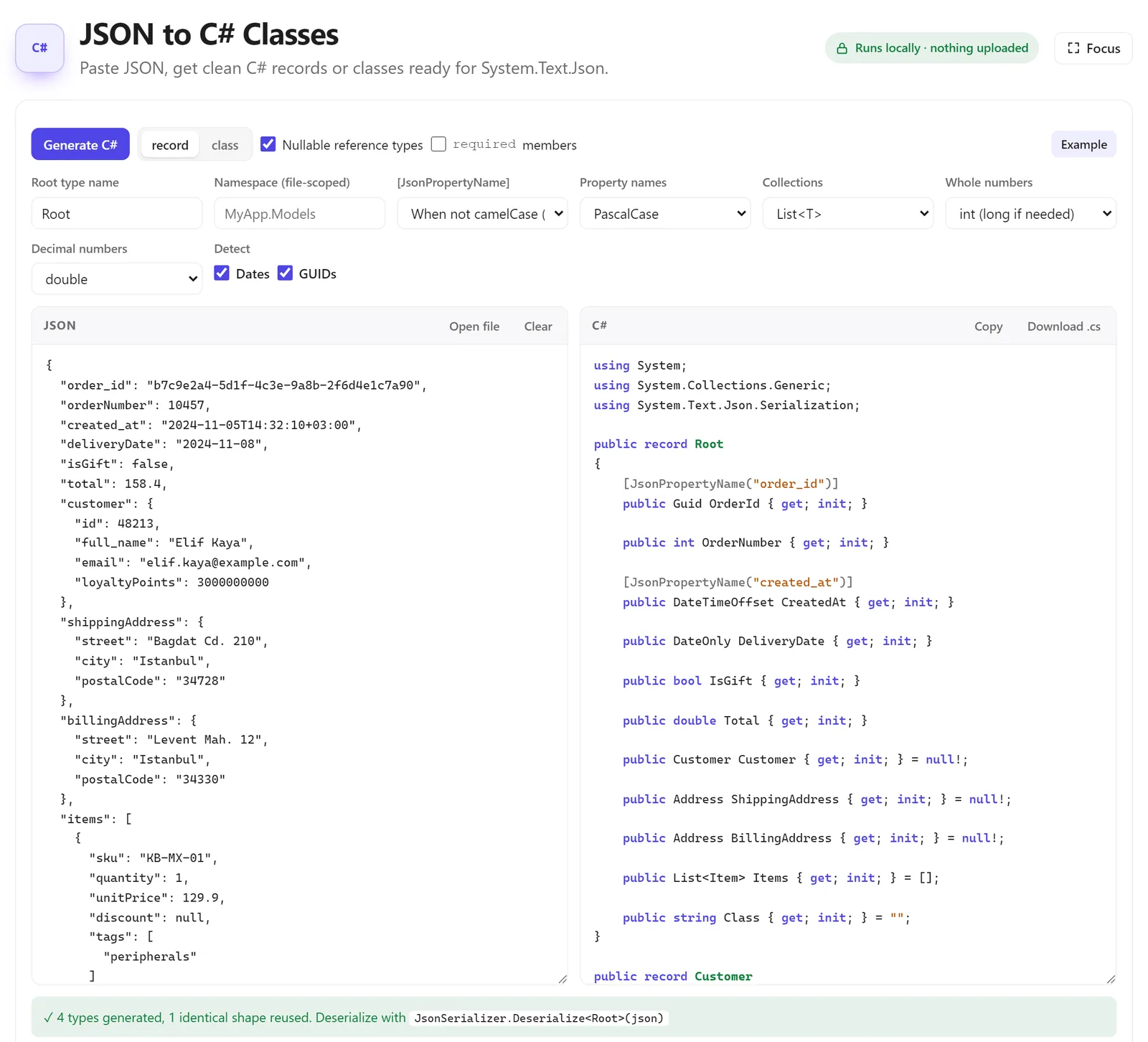
JSON to C# Classes
Paste a JSON response and get records or classes ready for System.Text.Json. You choose the root type name, namespace, property naming, collection type and number types. [JsonPropertyName] attributes are added only where the JSON name differs from the C# name, and dates and GUIDs are detected.
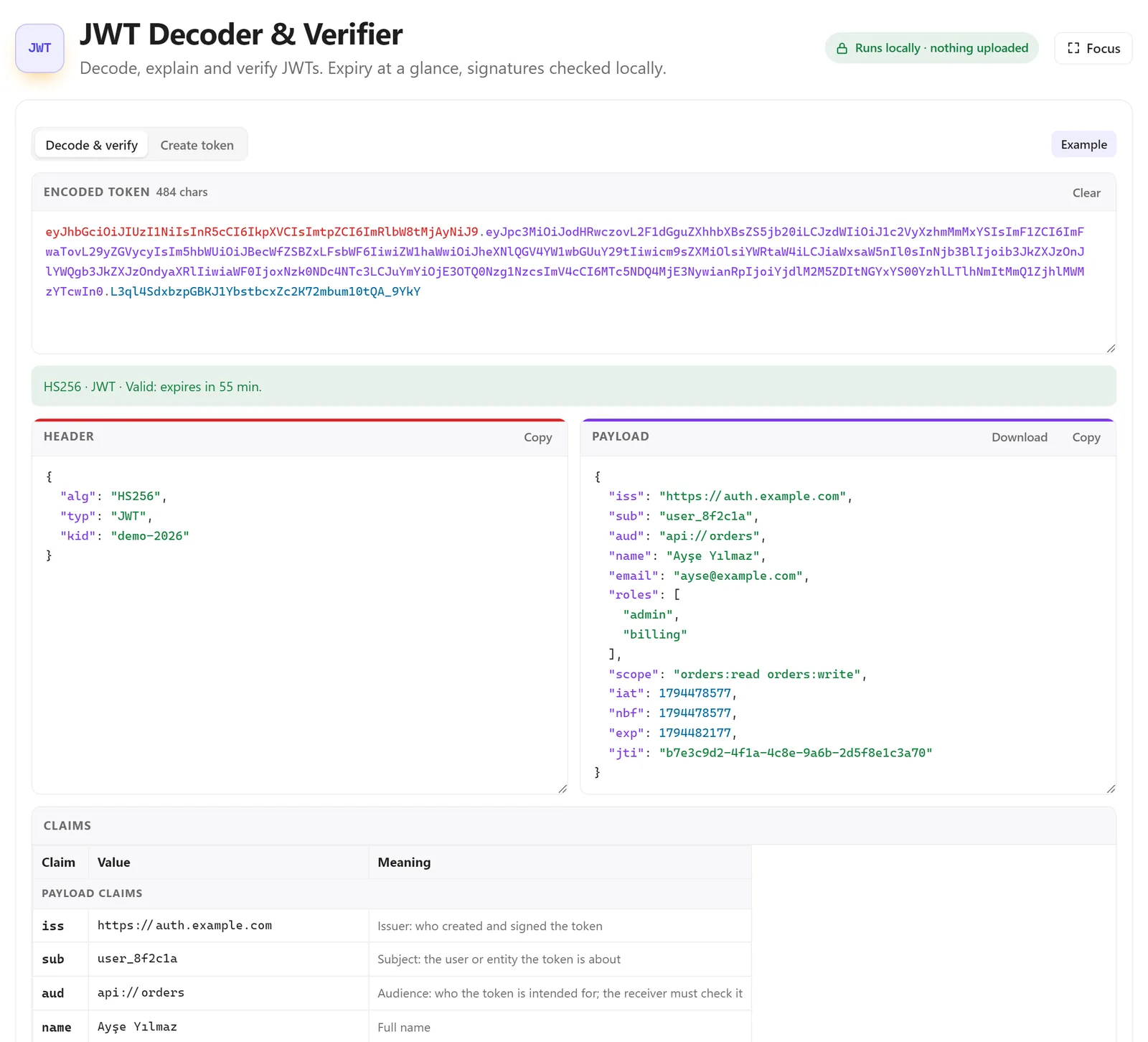
JWT Decoder & Verifier
Paste a token to see the header and payload, every claim explained, and the expiry in plain words (“valid, expires in 55 min”). You can verify the signature with a shared secret or a public key, and that check also happens locally. If you are issuing tokens yourself, Issuing and Validating JWT Access Tokens in ASP.NET Core shows the server side.
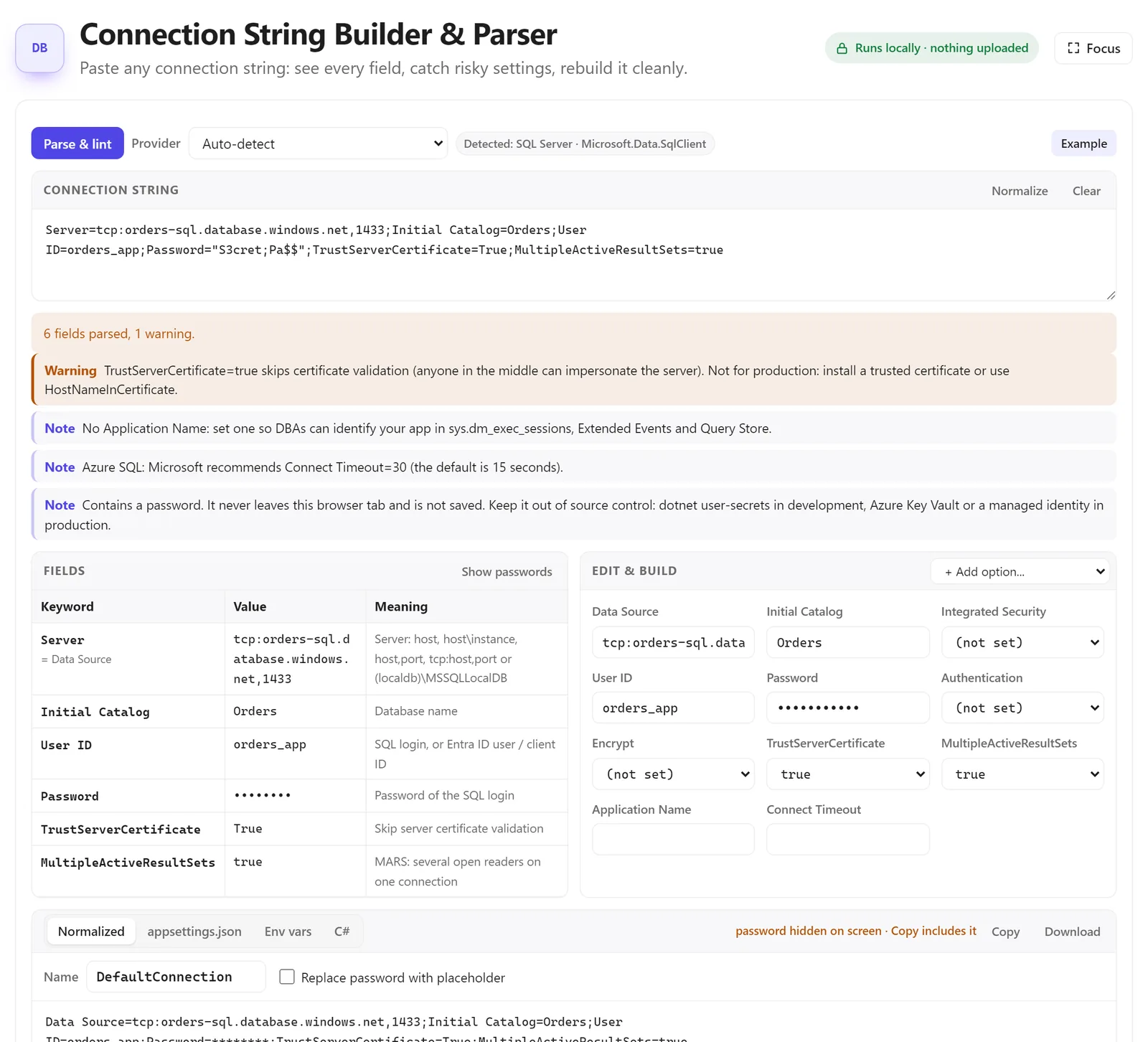
Connection String Builder & Parser
Paste any SQL Server, PostgreSQL, MySQL or similar connection string. Every key is shown with its meaning, and risky settings are flagged: TrustServerCertificate=True in production, a missing Application Name, a plain-text password. You can edit the fields and copy the result as a connection string, an appsettings.json snippet, environment variables or C#. The password is hidden on screen by default.
More in the same group:
- SemVer & NuGet Version Range Tester: check what
[8.0,9.0)or^1.2.3actually matches. - JSON to TypeScript: interfaces plus a matching Zod schema, for the frontend half of the team.
- HTTP Status Codes: every status code with causes, retry advice and the ASP.NET Core way to return it.
The everyday tools
These are the tools almost every developer opens every week. Here they all work offline from your data, too.
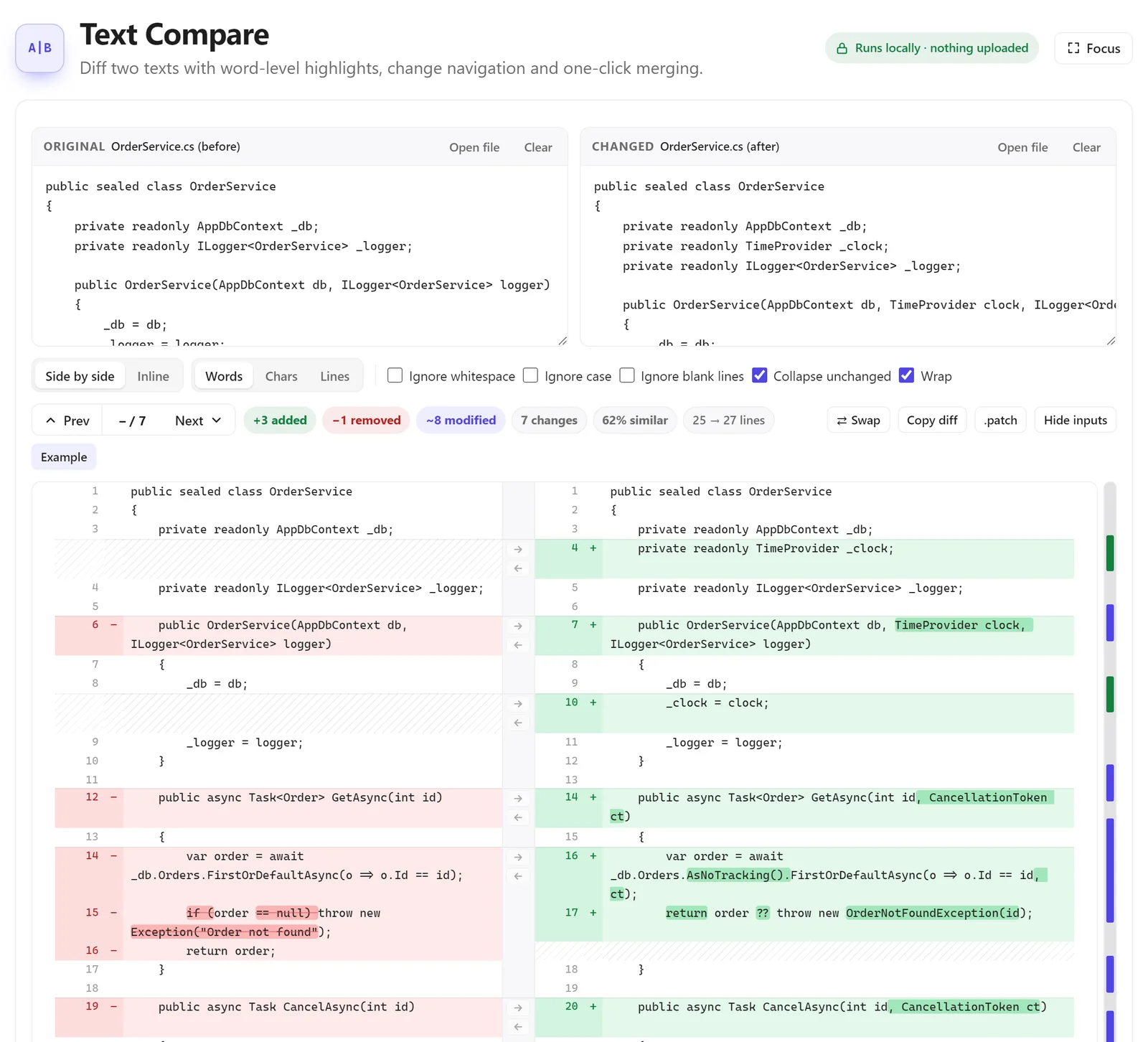
Text Compare
Diff two texts with word-level highlights, side by side or inline. Ignore whitespace or case, collapse unchanged lines, jump between changes, and merge a change from one side to the other with one click.
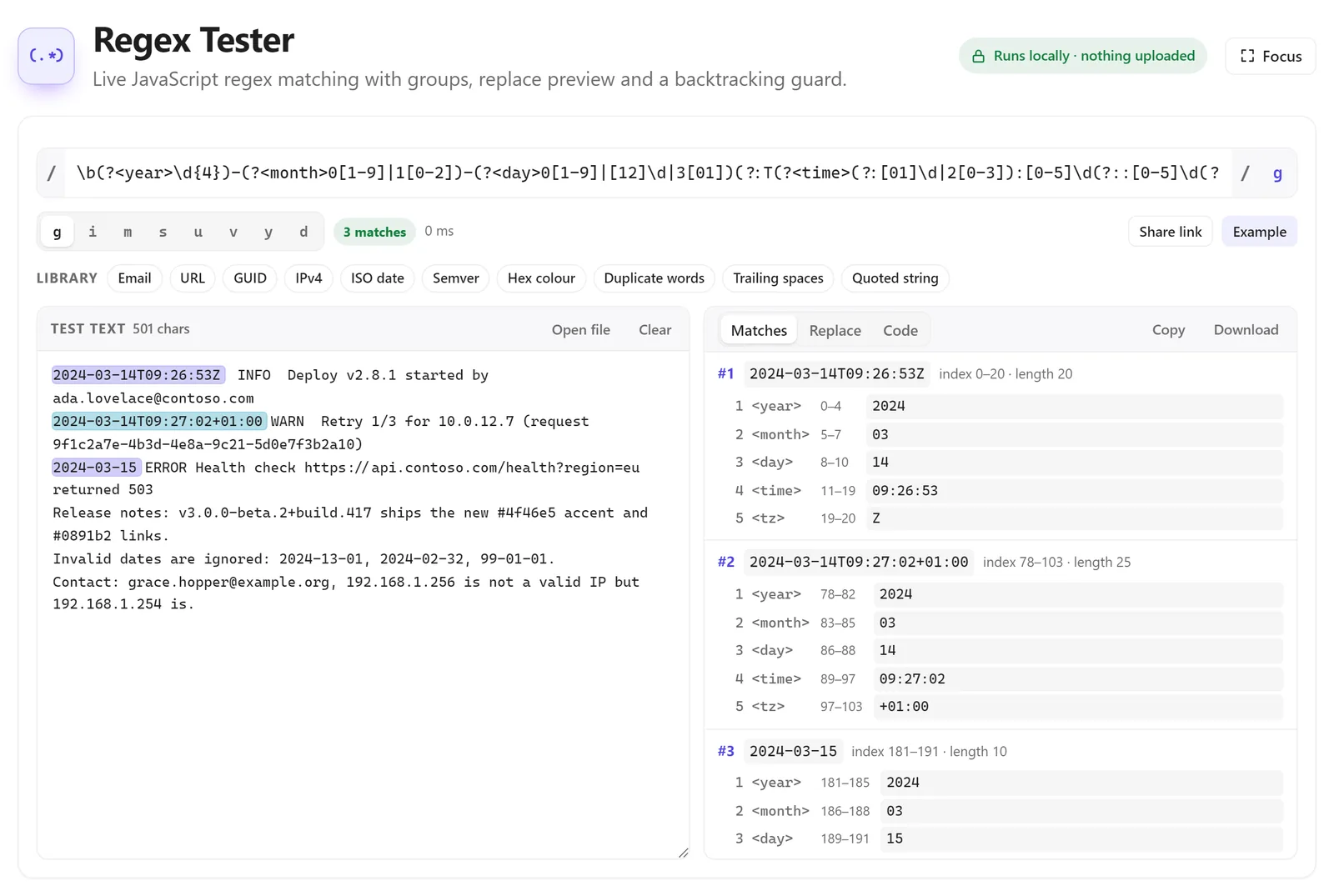
Regex Tester
JavaScript regular expressions with live matching, named groups, a replace preview and a library of common patterns (email, URL, GUID, ISO date, IP address). A backtracking guard stops patterns that would freeze the tab.
And the rest
- Formatters: JSON Formatter & Validator with a tree view and auto-fix, SQL Formatter for T-SQL and PostgreSQL, XML Formatter & XPath Tester, and JavaScript, HTML and CSS beautifiers.
- Encoders and decoders: Base64, URL encoding, HTML entities, Gzip and deflate, and an X.509 Certificate Decoder for PEM, DER and certificate chains.
- Generators: UUID v4 and v7, GUID and ULID, hashes and checksums, passwords, QR codes, lorem ipsum, a Mock Data Generator that outputs JSON, CSV, SQL INSERT or C#, and an RSA & ECDSA Key Pair Generator with PEM, JWK and the XML format .NET understands.
- Converters: Unix timestamps, including .NET ticks, a Cron Expression Parser that explains a schedule in plain English, JSON ⇄ YAML, JSON ⇄ CSV, and number bases.
- Testers: JSON Schema validation and generation, JSONPath, and an XML Schema (XSD) Validator that runs the real libxml2 engine in your browser.
- Text, web and graphics: list compare, a Markdown preview, a Unicode and invisible character inspector, a CIDR / subnet calculator, a color converter with WCAG contrast checks, an image converter and a color blindness simulator.
- For Turkish projects: a TCKN, VKN and IBAN validator that explains why a number fails and generates valid test values with C# code.
Small things that save time
- Press
/on the tools page to search, and Ctrl+Enter (Cmd+Enter on a Mac) to run a tool’s main action. - Focus mode hides everything except the tool.
- Most tools have an Example button, so you can see what they do before you paste your own data.
- The tool interfaces are available in English, Turkish, German, Spanish and French, and they all work in dark mode.
What’s next
We add tools when our own projects need them. If there is a tool you keep searching for, especially one for .NET, SQL Server or Azure work, tell us and it may be the next one.
Start at softinbit.com/tools.
Get new articles and tools by email: subscribe to the newsletter.
How this article was made: drafted with AI assistance, then reviewed by Softinbit Technology before publishing.